AI email generator
Describe what you need in a sentence and get a complete email — subject line and body — written for you in seconds.
AI Email Writer · iPhone · iPad
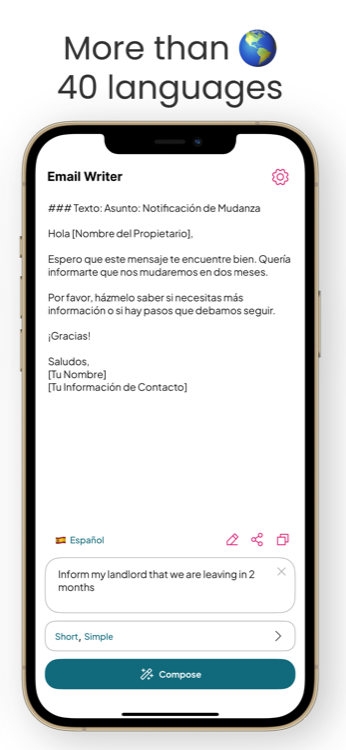
Email Writer turns a quick one-line note into a polished, ready-to-send email — in your chosen tone and 40+ languages. Draft, reword and translate right from your phone.
Features
One prompt in, a perfect email out. Email Writer is a complete AI email assistant built for real, everyday messages.
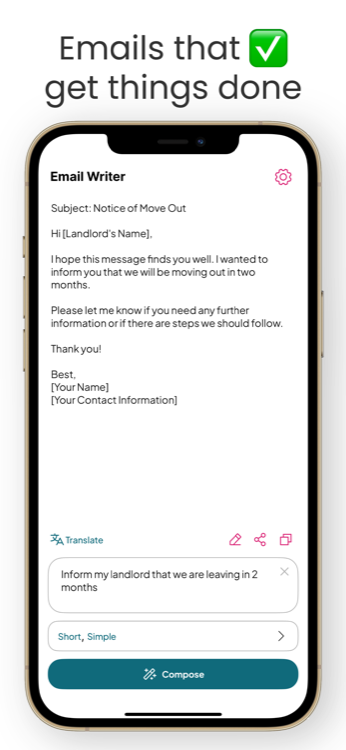
Describe what you need in a sentence and get a complete email — subject line and body — written for you in seconds.
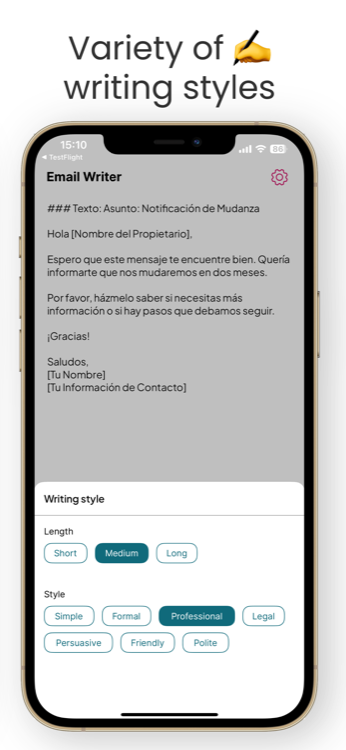
Switch between Simple, Formal, Professional, Legal, Persuasive, Friendly and Polite to match any situation.
Write in your language and send in another. Perfect, professional translation built right into every email.
Paste rough text and get a clean, corrected, professional version. Fix grammar and rephrase in one tap.
Set the exact length you want — a two-line reply or a detailed, structured message. You stay in control.
One universal app for all your Apple devices. Draft on your iPhone, pick up on your iPad — it just works.
How it works
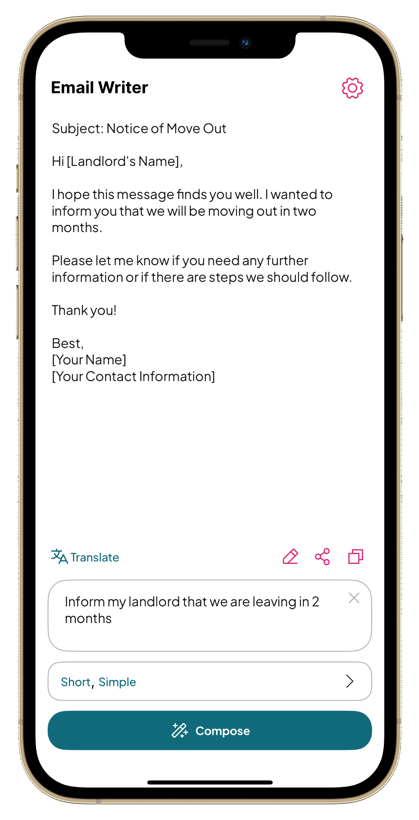
“Inform my landlord we're leaving in 2 months.” Just describe what you want to say — no need to word it perfectly.
Tap Short, Medium or Long and a style like Professional or Friendly. Email Writer matches the tone to the moment.
Get a complete email instantly. Edit, translate to another language, then copy or share it straight to your mail app.
A closer look
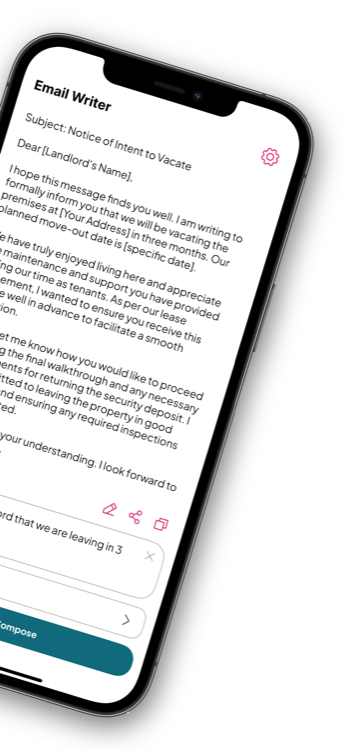
Clean, fast and focused — nothing between you and a great email.
Email guides
Practical, step-by-step guides for the messages people search for most — each with a ready-to-use example and the exact prompt to recreate it in Email Writer.
Give proper notice to vacate with the right dates, tone and details — plus a template that protects your deposit.
Read the guide → CareerResign gracefully and keep the relationship intact with a clear, professional two-week notice email.
Read the guide → WorkplaceSay no without burning bridges. Decline invites professionally and offer a helpful alternative.
Read the guide → CareerStand out with a timely thank-you that reinforces your fit — with timing tips and a proven template.
Read the guide → CareerSend a cover email that gets your CV opened — what to include, how to format it, and a template.
Read the guide → ConsumerFirm, factual and effective. Get a refund or resolution without sounding rude.
Read the guide → WorkplaceAsk for leave the right way with a short, respectful message your manager can approve fast.
Read the guide → MultilingualSend a flawless email in a language you don't speak — and avoid the classic translation mistakes.
Read the guide →FAQ
Yes — Email Writer is free to download on the App Store and lets you start composing right away. For unlimited use you can subscribe monthly ($9.99) or yearly ($49.99), billed as an auto-renewable subscription.
Download free on the App Store →An AI email writer generates a complete, well-structured email from a short description of what you want to say. You type a one-line intent, pick a tone, and it writes the subject line and body — no blank-page stress.
See how it works →Absolutely. Choose from Simple, Formal, Professional, Legal, Persuasive, Friendly or Polite, and set the length to Short, Medium or Long so the result fits the situation exactly.
Learn more: writing professional emails →Yes. Email Writer writes and translates emails in over 40 languages, so you can send a professional message even in a language you don't speak fluently.
Learn more: emails in another language →Yes. Email Writer includes AI auto-correct and reword. Paste your rough draft and get a clean, corrected, professional version you can send with confidence.
See all features →Yes — it's a universal app. One download gives you Email Writer on iPhone and iPad, so you can compose wherever you are.
Get it on the App Store →Download Email Writer and turn “I'll deal with it later” into “sent.” Free on the App Store.